With the recent releases of bpmn-js and bpmn-js-native-copy-paste, we allow you to copy and paste across any BPMN editor, any BPMN diagram. No matter where you are and what you do, you'll be able to mix and match your BPMN processes.
BPMN processes are often complex, and so is the process of creating and evolving them over time. Different personas interact, draw, and review BPMN diagrams. Changes may cause conflicts that have to be resolved by humans. Details or entire diagrams have to be merged- potentially across different tools.
For a long time, you could copy within a single BPMN editor, and applying some hacks, you'd be able to copy and paste across editor instances within the same browser or application tab, too. With recent changes shipped to bpmn-js, we gave you the ability to replace the built-in clipboard entirely, with something more elaborate, i.e., the operating system clipboard. Powered by the shared clipboard, users get what they expect: Copy and paste across contexts, applications, and online BPMN editors.
Integrating with the System Clipboard
Building on top of core library improvements, bpmn-js-native-copy-paste disables the built-in clipboard and uses the operating system clipboard instead, for all copy and paste operations:
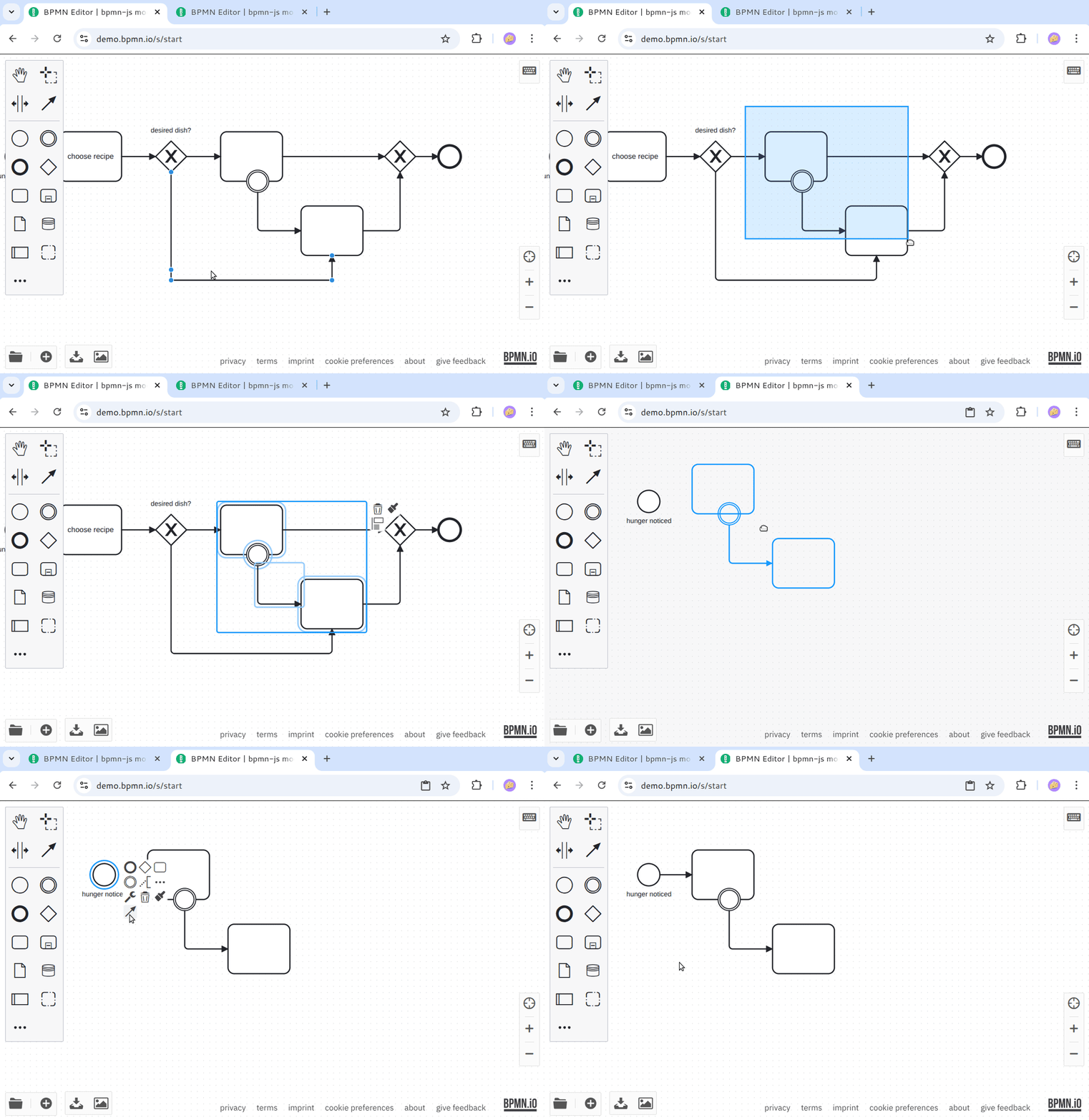
Copy and paste across browser tabs on demo.bpmn.io.
Adding system clipboard support to your BPMN editor is straightforward; plug it in as an additional module:
import NativeCopyPasteModule from 'bpmn-js-native-copy-paste';

const modeler = new BpmnModeler({
  additionalModules: [
    ...
    NativeCopyPasteModule
  ]
});
Under the hood, the extension uses the existing copy-and-paste facilities provided by bpmn-js. For example, those ensure that only BPMN and extensions known in the target context are pasted.
Duplicate Elements
Duplication of elements is the little brother of copy and paste, supported across many design tools: It allows you to replicate an element, without using the clipboard. With bpmn-js@18.10.0 we ship support for duplicating elements, bound to the CTRL/CMD+D shortcut, or available as a duplicate editor action:
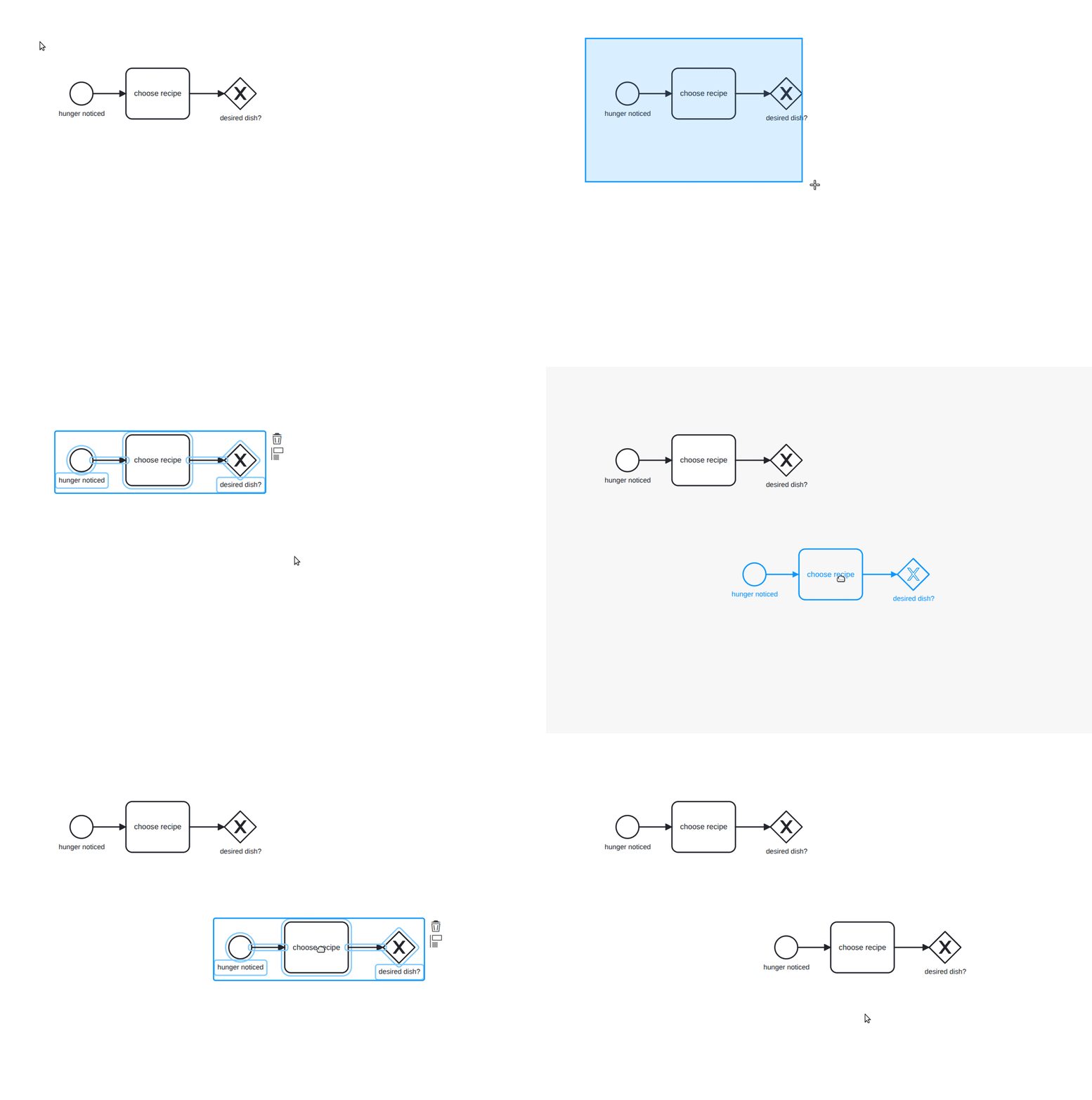
Duplicate parts of your BPMN diagram within the editor.
Wrapping up
In this post, we looked at recent improvements to copy-and-paste and diagram interchange. We showcased cross-browser/application copy-and-paste and the mechanisms that power it.
We'd like to hear your thoughts as we shape the future of BPMN! Contact us via our forums or follow us on Mastodon.
Are you passionate about JavaScript, modeling, and the web?
Join Camunda and build modeling tools people  .
.